- Welcome to AHXproject.
AHXproject
< | >
Recent posts
#21
Ubuntu News / Steam snap using core26 is no...
Last post by tim - Sep 22, 2026, 07:48 PMSteam snap using core26 is now available for testing
 Ubuntu gamers can help test a new version of Canonical's Steam snap that uses a core26 base and an updated Mesa graphics driver stack. A new testing channel sees the Steam snap's underlying base runtime bumped to a version based on Ubuntu 26.04 LTS, paired with a matching gaming-graphics-core26 content snap providing a newer set of GPU drivers – and potentially, better performance. Users can opt in by running snap refresh steam --channel stable/core26 from the terminal, and test by doing what they'd normally do in Steam: install and play games, adjust settings, and so on. Because the Steam snap uses its [...]
You're reading Steam snap using core26 is now available for testing , a blog post from OMG! Ubuntu . Do not reproduce elsewhere without permission.
Categories: News, Snaps, Steam for Linux
Source: https://www.omgubuntu.co.uk/2026/09/steam-snap-core26-testing Sep 20, 2026, 11:01 PM
Ubuntu gamers can help test a new version of Canonical's Steam snap that uses a core26 base and an updated Mesa graphics driver stack. A new testing channel sees the Steam snap's underlying base runtime bumped to a version based on Ubuntu 26.04 LTS, paired with a matching gaming-graphics-core26 content snap providing a newer set of GPU drivers – and potentially, better performance. Users can opt in by running snap refresh steam --channel stable/core26 from the terminal, and test by doing what they'd normally do in Steam: install and play games, adjust settings, and so on. Because the Steam snap uses its [...]You're reading Steam snap using core26 is now available for testing , a blog post from OMG! Ubuntu . Do not reproduce elsewhere without permission.
Categories: News, Snaps, Steam for Linux
Source: https://www.omgubuntu.co.uk/2026/09/steam-snap-core26-testing Sep 20, 2026, 11:01 PM
#22
Ubuntu News / Ubuntu 26.10 stops low memory...
Last post by tim - Sep 22, 2026, 07:48 PMUbuntu 26.10 stops low memory from killing your desktop session
 Ubuntu 26.10 changes how the system choose which processes are killed when memory runs low, making a rogue browser tab is less likely to punt you back to the login screen. When your system runs out of memory, the kernel's out-of-memory (OOM) killer kicks in, terminating processes to recover some. The issue is that doesn't always kill the right things. By default, many apps and critical desktop services share the same priority score. When the OOM killer is choosing its victim target, it looks at their OOM scores, not "what's using the most memory". Firefox and GNOME Shell, for example, [...]
You're reading Ubuntu 26.10 stops low memory from killing your desktop session , a blog post from OMG! Ubuntu . Do not reproduce elsewhere without permission.
Categories: News, Ubuntu 26.10
Source: https://www.omgubuntu.co.uk/2026/09/ubuntu-memory-oomd-changes Sep 20, 2026, 08:55 PM
Ubuntu 26.10 changes how the system choose which processes are killed when memory runs low, making a rogue browser tab is less likely to punt you back to the login screen. When your system runs out of memory, the kernel's out-of-memory (OOM) killer kicks in, terminating processes to recover some. The issue is that doesn't always kill the right things. By default, many apps and critical desktop services share the same priority score. When the OOM killer is choosing its victim target, it looks at their OOM scores, not "what's using the most memory". Firefox and GNOME Shell, for example, [...]You're reading Ubuntu 26.10 stops low memory from killing your desktop session , a blog post from OMG! Ubuntu . Do not reproduce elsewhere without permission.
Categories: News, Ubuntu 26.10
Source: https://www.omgubuntu.co.uk/2026/09/ubuntu-memory-oomd-changes Sep 20, 2026, 08:55 PM
#23
Ubuntu News / Convey is a GTK4/libadwaita f...
Last post by tim - Sep 22, 2026, 07:48 PMConvey is a GTK4/libadwaita fork of Linux email app Geary
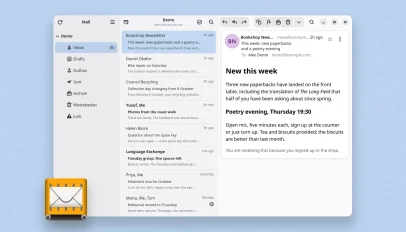 Convey is a new Linux email client based on the code of Geary, remade with a GTK4/libadwaita UI and support for Microsoft 365 accounts.
You're reading Convey is a GTK4/libadwaita fork of Linux email app Geary , a blog post from OMG! Ubuntu . Do not reproduce elsewhere without permission.
Categories: News, AI coded apps, geary
Source: https://www.omgubuntu.co.uk/2026/09/convey-geary-email-client Sep 20, 2026, 04:31 AM
Convey is a new Linux email client based on the code of Geary, remade with a GTK4/libadwaita UI and support for Microsoft 365 accounts.You're reading Convey is a GTK4/libadwaita fork of Linux email app Geary , a blog post from OMG! Ubuntu . Do not reproduce elsewhere without permission.
Categories: News, AI coded apps, geary
Source: https://www.omgubuntu.co.uk/2026/09/convey-geary-email-client Sep 20, 2026, 04:31 AM
#24
Ubuntu News / Laser is a new, modern CD rip...
Last post by tim - Sep 22, 2026, 07:48 PMLaser is a new, modern CD ripper for Linux
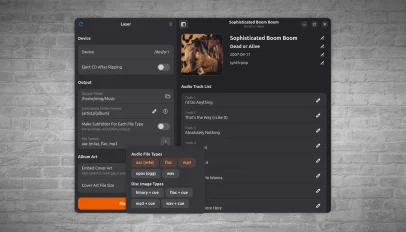 Under my bed is a giant box of CDs that I've been meaning to rip for years. Some aren't on Spotify, some are, but not the right version and one is by an artist I'm half convinced is a folk memory – perhaps the Mandela effect in action. Laser is a new GTK4/libadwatia CD ripping application for Linux that's coaxed me into getting on with the job. It's not just old timers who may have need. CD sales in the UK are booming as younger buyers put off by the gentrified price of vinyl turn to cheaper physical formats. A [...]
You're reading Laser is a new, modern CD ripper for Linux , a blog post from OMG! Ubuntu . Do not reproduce elsewhere without permission.
Categories: News, cd ripping, Laser
Source: https://www.omgubuntu.co.uk/2026/09/laser-cd-ripping-app-linux Sep 19, 2026, 06:08 AM
Under my bed is a giant box of CDs that I've been meaning to rip for years. Some aren't on Spotify, some are, but not the right version and one is by an artist I'm half convinced is a folk memory – perhaps the Mandela effect in action. Laser is a new GTK4/libadwatia CD ripping application for Linux that's coaxed me into getting on with the job. It's not just old timers who may have need. CD sales in the UK are booming as younger buyers put off by the gentrified price of vinyl turn to cheaper physical formats. A [...]You're reading Laser is a new, modern CD ripper for Linux , a blog post from OMG! Ubuntu . Do not reproduce elsewhere without permission.
Categories: News, cd ripping, Laser
Source: https://www.omgubuntu.co.uk/2026/09/laser-cd-ripping-app-linux Sep 19, 2026, 06:08 AM
#25
Ubuntu News / Calibre ebook manager adds AI...
Last post by tim - Sep 22, 2026, 07:48 PMCalibre ebook manager adds AI-powered writing game
 The latest update to Calibre, the popular open-source ebook manager, features an AI-powered writing game. Calibre v9.15's "Create Your Own Adventure" mode, per the release notes, lets you build a fictional world and hand control of it to an AI who will manage it in real time based on your responses. A bit like old text-based RPGs, I guess. The changelog notes, with obvious understatement, that the feature is "a little different" from Calibre's usual fare, adding it began as a way for developers to test the tool's AI backend before developing into "something fun to use". Like all AI [...]
You're reading Calibre ebook manager adds AI-powered writing game , a blog post from OMG! Ubuntu . Do not reproduce elsewhere without permission.
Categories: News, AI/ML, App Updates, Calibre
Source: https://www.omgubuntu.co.uk/2026/09/calibre-ebook-app-ai-ficton-writing Sep 18, 2026, 06:35 PM
The latest update to Calibre, the popular open-source ebook manager, features an AI-powered writing game. Calibre v9.15's "Create Your Own Adventure" mode, per the release notes, lets you build a fictional world and hand control of it to an AI who will manage it in real time based on your responses. A bit like old text-based RPGs, I guess. The changelog notes, with obvious understatement, that the feature is "a little different" from Calibre's usual fare, adding it began as a way for developers to test the tool's AI backend before developing into "something fun to use". Like all AI [...]You're reading Calibre ebook manager adds AI-powered writing game , a blog post from OMG! Ubuntu . Do not reproduce elsewhere without permission.
Categories: News, AI/ML, App Updates, Calibre
Source: https://www.omgubuntu.co.uk/2026/09/calibre-ebook-app-ai-ficton-writing Sep 18, 2026, 06:35 PM
#26
Ubuntu News / Microsoft’s open-source CLI t...
Last post by tim - Sep 22, 2026, 07:48 PMMicrosoft's open-source CLI text editor adds syntax highlighting
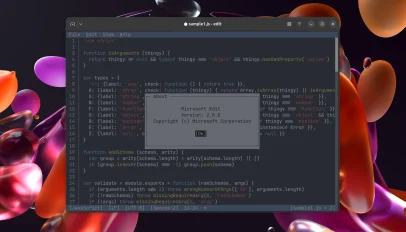 Edit, Microsoft's open-source command-line text editor, added syntax highlighting, improved regex handling in Find & Replace and new editing shortcuts in its v2.0.0 update. Microsoft open-sourced Edit last year. It's a small, cross-platform text editor with VS Code-style keybindings, mouse support, handles LF and CRLF line endings and lets you open multiple file. The clean terminal user interface (TUI) is super easy to use. The Edit v2.0.0 release came out earlier this year, but the unofficial Linux snap package (msedit, maintained by Canonical's Aaron Prisk) only updated on 14 September – that update is how I heard a new version [...]
You're reading Microsoft's open-source CLI text editor adds syntax highlighting , a blog post from OMG! Ubuntu . Do not reproduce elsewhere without permission.
Categories: News, App Updates, CLI Tools, Microsoft, msedit
Source: https://www.omgubuntu.co.uk/2026/09/microsoft-edit-2-0-update Sep 18, 2026, 01:46 AM
Edit, Microsoft's open-source command-line text editor, added syntax highlighting, improved regex handling in Find & Replace and new editing shortcuts in its v2.0.0 update. Microsoft open-sourced Edit last year. It's a small, cross-platform text editor with VS Code-style keybindings, mouse support, handles LF and CRLF line endings and lets you open multiple file. The clean terminal user interface (TUI) is super easy to use. The Edit v2.0.0 release came out earlier this year, but the unofficial Linux snap package (msedit, maintained by Canonical's Aaron Prisk) only updated on 14 September – that update is how I heard a new version [...]You're reading Microsoft's open-source CLI text editor adds syntax highlighting , a blog post from OMG! Ubuntu . Do not reproduce elsewhere without permission.
Categories: News, App Updates, CLI Tools, Microsoft, msedit
Source: https://www.omgubuntu.co.uk/2026/09/microsoft-edit-2-0-update Sep 18, 2026, 01:46 AM
#27
Ubuntu News / Ubuntu 26.10 snapshot 4 relea...
Last post by tim - Sep 22, 2026, 07:48 PMUbuntu 26.10 snapshot 4 released ahead of next week's beta
 In the mood for testing? The fourth monthly snapshot of Ubuntu 26.10 is now available for download. It's unusual for Ubuntu to produce a snapshot the same month a beta release is due, and this is also the second snapshot published this month: Ubuntu 26.10 Snapshot 3 arrived in early September. Strange times with the Stonking Stingray! "These should be very close to what the Beta candidates will look like next week, so don't shy away from testing them", said Canonical's Utkarsh Gupta in the mailing list announcement. Since Snapshot 3, more package updates have been updated: the GNOME 51 [...]
You're reading Ubuntu 26.10 snapshot 4 released ahead of next week's beta , a blog post from OMG! Ubuntu . Do not reproduce elsewhere without permission.
Categories: News, Monthly Snapshot, Ubuntu 26.10
Source: https://www.omgubuntu.co.uk/2026/09/ubuntu-2610-snapshot-4 Sep 17, 2026, 10:46 PM
In the mood for testing? The fourth monthly snapshot of Ubuntu 26.10 is now available for download. It's unusual for Ubuntu to produce a snapshot the same month a beta release is due, and this is also the second snapshot published this month: Ubuntu 26.10 Snapshot 3 arrived in early September. Strange times with the Stonking Stingray! "These should be very close to what the Beta candidates will look like next week, so don't shy away from testing them", said Canonical's Utkarsh Gupta in the mailing list announcement. Since Snapshot 3, more package updates have been updated: the GNOME 51 [...]You're reading Ubuntu 26.10 snapshot 4 released ahead of next week's beta , a blog post from OMG! Ubuntu . Do not reproduce elsewhere without permission.
Categories: News, Monthly Snapshot, Ubuntu 26.10
Source: https://www.omgubuntu.co.uk/2026/09/ubuntu-2610-snapshot-4 Sep 17, 2026, 10:46 PM
#28
Ubuntu News / Miracle-wm v0.11 gains a fanc...
Last post by tim - Sep 22, 2026, 07:48 PMMiracle-wm v0.11 gains a fancy new overview mode
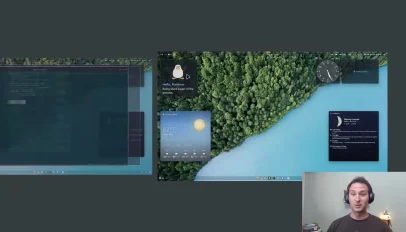 Miracle-wm v0.11.0 gains a fancy new overview mode inspired by GNOME Shell. For those unfamiliar with miracle-wm, it's a tiling window manager built around the Wayland compositor Mir, created to be a "hackable and flashy" alternative to other tiling WMs, like hyprland and sway. The overview mode gives users an easy way to select windows and workspaces. One tap of the action key (configured in the config file) enters a window selector, while a double tap of the action key will enter a workspace selector. Once open, windows and workspaces can be navigated using keyboard shortcuts, mouse scroll wheel or [...]
You're reading Miracle-wm v0.11 gains a fancy new overview mode , a blog post from OMG! Ubuntu . Do not reproduce elsewhere without permission.
Categories: News, Miracle-WM
Source: https://www.omgubuntu.co.uk/2026/09/miracle-wm-0-11-released Sep 17, 2026, 06:48 PM
Miracle-wm v0.11.0 gains a fancy new overview mode inspired by GNOME Shell. For those unfamiliar with miracle-wm, it's a tiling window manager built around the Wayland compositor Mir, created to be a "hackable and flashy" alternative to other tiling WMs, like hyprland and sway. The overview mode gives users an easy way to select windows and workspaces. One tap of the action key (configured in the config file) enters a window selector, while a double tap of the action key will enter a workspace selector. Once open, windows and workspaces can be navigated using keyboard shortcuts, mouse scroll wheel or [...]You're reading Miracle-wm v0.11 gains a fancy new overview mode , a blog post from OMG! Ubuntu . Do not reproduce elsewhere without permission.
Categories: News, Miracle-WM
Source: https://www.omgubuntu.co.uk/2026/09/miracle-wm-0-11-released Sep 17, 2026, 06:48 PM
#29
Ubuntu Blog / Bring Zenoh to ROS 2 with sna...
Last post by tim - Sep 17, 2026, 01:41 AMBring Zenoh to ROS 2 with snaps
ROS 2 gives robotics developers the freedom to choose the middleware that fits their system. As a communication protocol for ROS, Zenoh has gained strong traction. It delivers proven performance and stability while giving developers explicit control over node discovery.
Zenoh is a lightweight, high-performance communication protocol designed for robotics and distributed systems. Supporting publisher/subscriber and query-based communication, it handles unreliable network connections efficiently. It can act as the middleware for ROS 2 systems.
For teams running ROS 2 applications with DDS (Data Distribution Service), a Zenoh bridge provides a way to keep applications as they are and bridge their communication into Zenoh. Meanwhile, the Zenoh router provides data stream routes and distributes queries across endpoints.
To deploy ROS 2 and Zenoh effectively, you need a stable, reliable environment. This blog explores how to achieve that using snaps, covering three key deployment approaches:
These methods are not mutually exclusive, enabling teams to mix and match as needed to suit their architecture.
Package Zenoh with your ROS 2 application
When developers want to use Zenoh as part of the application, they can include the rmw_zenoh_cpp dependency directly in the ROS 2 snapcraft.yaml .
The talker_listener_zenoh_core24 project in the ROS snap examples repository demonstrates this approach with ROS 2 Jazzy. It packages the familiar demo_nodes_cpp talker and listener while selecting Zenoh via the RMW_IMPLEMENTATION environment variable.
The important changes in snapcraft.yaml appear below:
base: core24
confinement: strict
parts:
ros-demos:
plugin: colcon
source: https://github.com/ros2/demos.git
source-branch: jazzy
stage-packages:
- ros-jazzy-rmw-zenoh-cpp
- ros-jazzy-ros2run
apps:
talker-router:
command: opt/ros/jazzy/bin/ros2 run demo_nodes_cpp talker
plugs: [network, network-bind]
extensions: [ros2-jazzy]
environment:
RMW_IMPLEMENTATION: rmw_zenoh_cpp
The ros2-jazzy extension sets up the ROS 2 environment inside the snap. The stage-packages entry adds rmw_zenoh_cpp, while RMW_IMPLEMENTATION tells the application to use it at runtime.
This keeps the communication choice within the application. The developer controls the ROS 2 version, middleware package, environment, and application lifecycle in one artifact. The same tested package can then move between development systems and robots without rebuilding on each device.
The example provides two operating modes: one using a dedicated Zenoh router (talker-router/listener-router) and another relying on multicast scouting (talker/listener). This flexibility enables developers to start with a compact, all-in-one package for workstations or robots, then evolve to a separate router service if their communication architecture scales, without needing to change the application.
Run the Zenoh router as a snap
A router is infrastructure, and infrastructure requires stability.
Thezenohd snap packages the Zenoh router as a command and a system service. It can be installed independently of the ROS 2 applications that use it:
sudo snap install zenohd
sudo snap start --enable zenohd.daemon
The service is installed disabled, so users decide when to enable it. Once enabled, snapd manages it like other snap services.
The router can also run as a terminal command:
zenohd [OPTIONS]
If you plan to pass a configuration file via the CLI, ensure it is in a location accessible to a strictly confined snap .
The snap looks for a JSON5 or YAML configuration under its snap-managed data directories. The default daemon configuration path is:
/var/snap/zenohd/common/config.json5
Theupstream reference configuration documents the available options.
After changing it, restart the service:
sudo snap restart zenohd.daemon
The snapcraft.yaml file describes the daemon and command for reference.
With a router deployed in the cloud, multiple Zenoh-enabled applications can communicate across the internet. In that setup, consider configuring TLS authentication for Zenoh .
Add Zenoh to existing ROS 2 applications
Repackaging an application is not always the right starting point. A robot may already run several ROS 2 nodes using DDS, or a team may want to introduce Zenoh without changing those nodes.
Thezenoh-bridge-ros2dds snap packages the upstream Zenoh bridge for ROS 2 over DDS. The bridge discovers ROS 2 communication on its DDS side and maps it to Zenoh. This lets existing ROS 2 applications keep their current middleware configuration.
Install and enable it with:
sudo snap install zenoh-bridge-ros2dds
sudo snap start --enable zenoh-bridge-ros2dds.bridge
Like the router snap, the bridge is installed disabled and can also run as a CLI:
zenoh-bridge-ros2dds [OPTIONS]
Its configuration can live in the snap's common data directory:
/var/snap/zenoh-bridge-ros2dds/common/config.json5
Or in the root user data directory
/root/snap/zenoh-bridge-ros2dds/common/config.json5
Theupstream reference configuration documents the available options.
The bridge can sit beside a ROS 2 system on a robot, workstation or other host and connect that DDS domain to the Zenoh side of the architecture. ROS 2 nodes do not need to know that the bridge is there.
The snapcraft.yaml file demonstrates how to package the Rust-based bridge as both a daemon and a CLI.
One RMW implementation, three approaches
To recap, Zenoh offers flexible deployment options for ROS 2 systems through three distinct approaches using snaps:
Snaps unify these deployments with a consistent operational model. All three approaches support amd64 and arm64 platforms, ensuring hardware-agnostic deployment across different robots. Furthermore, snaps provide a single framework for transactional updates, lifecycle management, and service control through snapd.
Security is central to this model. Strict confinement isolates the communication stack, while mandatory interfaces like network and network-bind enforce explicit system access. This ensures that each component operates within a well-defined boundary.
Ultimately, this allows the application, the bridge, and the router to evolve independently with their own configuration and refresh cycles. This modularity maintains a robust operational boundary for the entire robotics architecture.
Start snapping Zenoh into ROS 2
Here are some practical starting points for the three projects:
If snaps are new to you, start with theSnapcraft overview , thenset up Snapcraft and follow the guide tocreate a snap . TheSnapcraft robotics documentation covers the ROS-specific extensions and workflows.
For the middleware itself, consult theROS 2 Jazzy guide to working with Zenoh , the rmw_zenoh repository , and theZenoh documentation .
Whether Zenoh belongs inside your application, beside it, or at the center of its communication infrastructure, there is a snap-shaped way to deploy it.
ROS 2 gives robotics developers the freedom to choose the middleware that fits their system. As a communication protocol for ROS, Zenoh has gained strong traction. It delivers proven performance and stability while giving developers explicit control over node discovery. Zenoh is a lightweight, high-performance communication protocol designed for robotics and distributed systems. Supporting publisher/subscriber [...]
Categories: ROS 2, Snap
Source: https://ubuntu.com//blog/bring-zenoh-to-ros-2-with-snaps Sep 15, 2026, 06:07 PM
ROS 2 gives robotics developers the freedom to choose the middleware that fits their system. As a communication protocol for ROS, Zenoh has gained strong traction. It delivers proven performance and stability while giving developers explicit control over node discovery.
Zenoh is a lightweight, high-performance communication protocol designed for robotics and distributed systems. Supporting publisher/subscriber and query-based communication, it handles unreliable network connections efficiently. It can act as the middleware for ROS 2 systems.
For teams running ROS 2 applications with DDS (Data Distribution Service), a Zenoh bridge provides a way to keep applications as they are and bridge their communication into Zenoh. Meanwhile, the Zenoh router provides data stream routes and distributes queries across endpoints.
To deploy ROS 2 and Zenoh effectively, you need a stable, reliable environment. This blog explores how to achieve that using snaps, covering three key deployment approaches:
- Packaging: Include the Zenoh ROS middleware directly within your application
- Infrastructure: Run the Zenoh router as a standalone snap
- Integration: Use the Zenoh-to-DDS bridge to connect existing ROS 2 applications
These methods are not mutually exclusive, enabling teams to mix and match as needed to suit their architecture.
Package Zenoh with your ROS 2 application
When developers want to use Zenoh as part of the application, they can include the rmw_zenoh_cpp dependency directly in the ROS 2 snapcraft.yaml .
The talker_listener_zenoh_core24 project in the ROS snap examples repository demonstrates this approach with ROS 2 Jazzy. It packages the familiar demo_nodes_cpp talker and listener while selecting Zenoh via the RMW_IMPLEMENTATION environment variable.
The important changes in snapcraft.yaml appear below:
base: core24
confinement: strict
parts:
ros-demos:
plugin: colcon
source: https://github.com/ros2/demos.git
source-branch: jazzy
stage-packages:
- ros-jazzy-rmw-zenoh-cpp
- ros-jazzy-ros2run
apps:
talker-router:
command: opt/ros/jazzy/bin/ros2 run demo_nodes_cpp talker
plugs: [network, network-bind]
extensions: [ros2-jazzy]
environment:
RMW_IMPLEMENTATION: rmw_zenoh_cpp
The ros2-jazzy extension sets up the ROS 2 environment inside the snap. The stage-packages entry adds rmw_zenoh_cpp, while RMW_IMPLEMENTATION tells the application to use it at runtime.
This keeps the communication choice within the application. The developer controls the ROS 2 version, middleware package, environment, and application lifecycle in one artifact. The same tested package can then move between development systems and robots without rebuilding on each device.
The example provides two operating modes: one using a dedicated Zenoh router (talker-router/listener-router) and another relying on multicast scouting (talker/listener). This flexibility enables developers to start with a compact, all-in-one package for workstations or robots, then evolve to a separate router service if their communication architecture scales, without needing to change the application.
Run the Zenoh router as a snap
A router is infrastructure, and infrastructure requires stability.
Thezenohd snap packages the Zenoh router as a command and a system service. It can be installed independently of the ROS 2 applications that use it:
sudo snap install zenohd
sudo snap start --enable zenohd.daemon
The service is installed disabled, so users decide when to enable it. Once enabled, snapd manages it like other snap services.
The router can also run as a terminal command:
zenohd [OPTIONS]
If you plan to pass a configuration file via the CLI, ensure it is in a location accessible to a strictly confined snap .
The snap looks for a JSON5 or YAML configuration under its snap-managed data directories. The default daemon configuration path is:
/var/snap/zenohd/common/config.json5
Theupstream reference configuration documents the available options.
After changing it, restart the service:
sudo snap restart zenohd.daemon
The snapcraft.yaml file describes the daemon and command for reference.
With a router deployed in the cloud, multiple Zenoh-enabled applications can communicate across the internet. In that setup, consider configuring TLS authentication for Zenoh .
Add Zenoh to existing ROS 2 applications
Repackaging an application is not always the right starting point. A robot may already run several ROS 2 nodes using DDS, or a team may want to introduce Zenoh without changing those nodes.
Thezenoh-bridge-ros2dds snap packages the upstream Zenoh bridge for ROS 2 over DDS. The bridge discovers ROS 2 communication on its DDS side and maps it to Zenoh. This lets existing ROS 2 applications keep their current middleware configuration.
Install and enable it with:
sudo snap install zenoh-bridge-ros2dds
sudo snap start --enable zenoh-bridge-ros2dds.bridge
Like the router snap, the bridge is installed disabled and can also run as a CLI:
zenoh-bridge-ros2dds [OPTIONS]
Its configuration can live in the snap's common data directory:
/var/snap/zenoh-bridge-ros2dds/common/config.json5
Or in the root user data directory
/root/snap/zenoh-bridge-ros2dds/common/config.json5
Theupstream reference configuration documents the available options.
The bridge can sit beside a ROS 2 system on a robot, workstation or other host and connect that DDS domain to the Zenoh side of the architecture. ROS 2 nodes do not need to know that the bridge is there.
The snapcraft.yaml file demonstrates how to package the Rust-based bridge as both a daemon and a CLI.
One RMW implementation, three approaches
To recap, Zenoh offers flexible deployment options for ROS 2 systems through three distinct approaches using snaps:
- Packaging: Developers can bundle the rmw_zenoh_cpp RMW implementation directly within their application snap.
- Infrastructure: The zenohd router snap serves as shared infrastructure for routing data streams across the system.
- Integration: The zenoh-bridge-ros2dds snap bridges existing DDS-based applications into the Zenoh network without requiring code changes.
Snaps unify these deployments with a consistent operational model. All three approaches support amd64 and arm64 platforms, ensuring hardware-agnostic deployment across different robots. Furthermore, snaps provide a single framework for transactional updates, lifecycle management, and service control through snapd.
Security is central to this model. Strict confinement isolates the communication stack, while mandatory interfaces like network and network-bind enforce explicit system access. This ensures that each component operates within a well-defined boundary.
Ultimately, this allows the application, the bridge, and the router to evolve independently with their own configuration and refresh cycles. This modularity maintains a robust operational boundary for the entire robotics architecture.
Start snapping Zenoh into ROS 2
Here are some practical starting points for the three projects:
- Explore the rmw_zenoh_cpp talker and listener example
- Install the zenohd router snap
- Install the zenoh-bridge-ros2dds snap
- Check the zenohd snap source
- Check the zenoh-bridge-ros2dds snap source
If snaps are new to you, start with theSnapcraft overview , thenset up Snapcraft and follow the guide tocreate a snap . TheSnapcraft robotics documentation covers the ROS-specific extensions and workflows.
For the middleware itself, consult theROS 2 Jazzy guide to working with Zenoh , the rmw_zenoh repository , and theZenoh documentation .
Whether Zenoh belongs inside your application, beside it, or at the center of its communication infrastructure, there is a snap-shaped way to deploy it.
ROS 2 gives robotics developers the freedom to choose the middleware that fits their system. As a communication protocol for ROS, Zenoh has gained strong traction. It delivers proven performance and stability while giving developers explicit control over node discovery. Zenoh is a lightweight, high-performance communication protocol designed for robotics and distributed systems. Supporting publisher/subscriber [...]
Categories: ROS 2, Snap
Source: https://ubuntu.com//blog/bring-zenoh-to-ros-2-with-snaps Sep 15, 2026, 06:07 PM
#30
Ubuntu Blog / Evolution of the RISC-V ISA. ...
Last post by tim - Sep 17, 2026, 01:41 AMEvolution of the RISC-V ISA. What next after RVA23?
Introduction
Releasing the RVA23 specification was a major milestone for the RISC-V community. While it provides an excellent baseline for deployment at scale, innovation continues to take place and we will see further extensions and profiles over the coming years.
Upcoming innovations fall into a couple of key areas
In this blog, we'll look at these in more detail. We'll also discuss Canonical and the wider community's approach to supporting these extensions.
Security extensions
RISC-V has a number of mechanisms to address security. These include basic features such as memory protection, memory management, and privilege levels. But these are mostly about helping well behaved programs do the right thing. In modern computing, this is increasingly insufficient where the risk of malicious attacks keeps increasing. The good news is that there are also multiple levels of mechanisms to defend against this which are being actively developed. The first extension we'll discuss is CFI, which was ratified by RISC-V international in 2024, while the other extensions we will cover are moving towards ratification in 2026 or 2027.
Control Flow Integrity
This is a lightweight, optional extension designed to protect against Return-Oriented Programming (ROP) and Call/Jump-Oriented Programming (COP/JOP) control flow attacks. Both of these mechanisms change the flow of the program and jump to unexpected places in the code. Clever use of these techniques can result in the ability to run arbitrary code using snippets (usually called "gadgets") from elsewhere in the program binary.
CFI is composed of two independent extensions:
Both of these extensions govern control flow, in which typical attacks are about jumping to an unintended point in the code. They have been designed to prevent these kinds of attacks, and to maximize compatibility with existing RVA23 hardware, such that if the hardware implementation is not present, the instructions from these extensions will be ignored.
However, on pre-RVA23 hardware without the Zimop opcode support, the Zicfiss instructions will trap. While no-operation instructions (NOPs) are not ideal for performance and code size, this provides some flexibility where software can quickly adopt this (e.g. in compiler toolchains) and as soon as the hardware is available it will "just work".
Here's how they work:
Matrix extensions
AI/ML has been a massive growth area for RISC-V over the last few years, and continues to grow. The applications and use cases are just as diverse as those for processors, and ultimately most rely on a large amount of matrix math. The requirements for a small IoT endpoint will be different from a server, and correspondingly the right way to add these extensions varies too, depending on use case. RISC-V has three different methods to add matrix extensions:
I won't explain them in detail here, but they provide different levels of scale for different applications (I've linked a video for a deeper dive at the end of the blog). From Canonical's perspective, the more interesting thing is the impact for software and toolchains. The OS has to be aware of architectural state to handle context switches.
For VME, this is the same as standard vector extensions, so no additional state is needed, and no OS level changes are needed. IME and AME are more complex, requiring OS changes to support them. IME extends the Vector register file, and adds some additional registers for the results., while AME has a completely new register file. The OS needs to be aware of these registers during context switches.
In a previous blog about RISC-V custom instructions, we talked about using the sys_riscv_hwprobe() Linux system call to discover which extensions are implemented. This function will return a value to an application indicating whether a particular extension is supported. The same mechanism works for matrix instructions. What this means is that code libraries can be compiled with support for multiple implementation choices, and at runtime the software can choose the appropriate implementation.
Profile updates
It's not surprising that architectures evolve over time. Applications change, new applications emerge, and the complexity of what it's possible to implement in silicon changes too. Minor revisions to RISC-V ratified specification deliberately don't include mandatory extensions. This provides longer term software stability while still allowing new innovations. There are two types of these optional extensions.
Development options are introduced as a precursor to becoming mandatory in a future profile and allow a softer landing. Expansion options are intended to remain optional and might target specific applications where the implementation cost is justified, but are too large to mandate for all users of a profile. Let's now look at some of the new options in more detail.
RVA23.1
This adds three development options and two expansion options. Of these five new extensions, there are three that are particularly relevant to Ubuntu.
This is about covering a small corner case during trap handling. If a second trap occurs while the first trap handler is still in a non-reentrant state, it can result in a system crash. This extension allows the machine mode or hypervisor mode to safely catch the second trap, improving system stability and reducing the risk of memory corruption.
Supervisor Counter Delegation
This allows the Supervisor privilege level to manage and configure performance counter registers directly, without having to call to the machine mode firmware. For Linux utilities like "perf", this provides a performance uplift when profiling code.
Control Transfer Records
This extension allows for better profiling of branches. In particular it enables profile guided optimization (PGO), which is something we have talked about in the context of other architectures . PGO allows an iterative build process. The program is compiled with profiling options and an execution trace generated. This trace can be used for a subsequent build and informs the optimization process. PGO also requires upstream Linux kernel support for the kernel to expose the branch record buffers via "perf". Patches are available, but haven't been accepted upstream yet.
Toolchain support
For Ubuntu to be able to make use of these extensions, as well as silicon support, we also need the toolchains (GCC, LLVM) to support them. Let's look at each group in turn:
Control flow integrity
GCC and LLVM support these already today.
Matrix
There are two approaches to targeting Matrix extensions.
These extensions are at different levels of maturity and need different levels of work. VME is relatively simple to support, while AME will need a lot of work. While waiting for ratification of the standard, it's also possible there will be out-of-tree work done — for example Xuantie are working on a version of matrix extensions and have developed their own support in a private GCC branch.
RVA23.1
Some of these features will be accessed by intrinsics or assembly CSRs rather than code generation per-se, however extensions like Ssctr directly interface to compiler profilers.
Conclusion
RVA23 established a great foundational baseline for RISC-V. For many years to come it will serve as the common platform which software builds against. And RVA23 binaries will run on newer silicon, so there's no worry about loss in backwards compatibility. But as new features are made available, it's useful to understand what the innovations are and how they can be used.
Further reading
Introduction Releasing the RVA23 specification was a major milestone for the RISC-V community. While it provides an excellent baseline for deployment at scale, innovation continues to take place and we will see further extensions and profiles over the coming years. Upcoming innovations fall into a couple of key areas In this blog, we'll look at [...]
Categories: RISC-V
Source: https://ubuntu.com//blog/evolution-of-the-risc-v-isa-what-next-after-rva23 Sep 15, 2026, 11:22 AM
Introduction
Releasing the RVA23 specification was a major milestone for the RISC-V community. While it provides an excellent baseline for deployment at scale, innovation continues to take place and we will see further extensions and profiles over the coming years.
Upcoming innovations fall into a couple of key areas
- Security related extensions, such as Control Flow Integrity (CFI).
- Performance related extensions such as Matrix
- Minor specification updates, such as RVA23.1
In this blog, we'll look at these in more detail. We'll also discuss Canonical and the wider community's approach to supporting these extensions.
Security extensions
RISC-V has a number of mechanisms to address security. These include basic features such as memory protection, memory management, and privilege levels. But these are mostly about helping well behaved programs do the right thing. In modern computing, this is increasingly insufficient where the risk of malicious attacks keeps increasing. The good news is that there are also multiple levels of mechanisms to defend against this which are being actively developed. The first extension we'll discuss is CFI, which was ratified by RISC-V international in 2024, while the other extensions we will cover are moving towards ratification in 2026 or 2027.
Control Flow Integrity
This is a lightweight, optional extension designed to protect against Return-Oriented Programming (ROP) and Call/Jump-Oriented Programming (COP/JOP) control flow attacks. Both of these mechanisms change the flow of the program and jump to unexpected places in the code. Clever use of these techniques can result in the ability to run arbitrary code using snippets (usually called "gadgets") from elsewhere in the program binary.
CFI is composed of two independent extensions:
- Zicfilp
- Zicfiss
Both of these extensions govern control flow, in which typical attacks are about jumping to an unintended point in the code. They have been designed to prevent these kinds of attacks, and to maximize compatibility with existing RVA23 hardware, such that if the hardware implementation is not present, the instructions from these extensions will be ignored.
However, on pre-RVA23 hardware without the Zimop opcode support, the Zicfiss instructions will trap. While no-operation instructions (NOPs) are not ideal for performance and code size, this provides some flexibility where software can quickly adopt this (e.g. in compiler toolchains) and as soon as the hardware is available it will "just work".
Here's how they work:
- The first extension (Zicfilp) creates landing pads. If the program branches to a location that isn't a landing pad, it will trap. This means an attacker can't branch to an arbitrary location that isn't an explicit branch target.
- The second (Zicfiss) is similar, but about protecting function returns. A typical attack would try and overwrite the stack, so when a program returns, it branches to a different location from the originally saved one. This extension adds a shadow stack. When a function call is made, the return address is stored in both the normal stack and shadow stack. On returning from that function the values are compared, and a mismatch will result in a trap. In that case, the execution is stopped before the attack can start.
Matrix extensions
AI/ML has been a massive growth area for RISC-V over the last few years, and continues to grow. The applications and use cases are just as diverse as those for processors, and ultimately most rely on a large amount of matrix math. The requirements for a small IoT endpoint will be different from a server, and correspondingly the right way to add these extensions varies too, depending on use case. RISC-V has three different methods to add matrix extensions:
- Integrated Matrix Extension (IME)
- Vector Matrix Extension (VME)
- Attached Matrix Extension (AME)
I won't explain them in detail here, but they provide different levels of scale for different applications (I've linked a video for a deeper dive at the end of the blog). From Canonical's perspective, the more interesting thing is the impact for software and toolchains. The OS has to be aware of architectural state to handle context switches.
For VME, this is the same as standard vector extensions, so no additional state is needed, and no OS level changes are needed. IME and AME are more complex, requiring OS changes to support them. IME extends the Vector register file, and adds some additional registers for the results., while AME has a completely new register file. The OS needs to be aware of these registers during context switches.
In a previous blog about RISC-V custom instructions, we talked about using the sys_riscv_hwprobe() Linux system call to discover which extensions are implemented. This function will return a value to an application indicating whether a particular extension is supported. The same mechanism works for matrix instructions. What this means is that code libraries can be compiled with support for multiple implementation choices, and at runtime the software can choose the appropriate implementation.
Profile updates
It's not surprising that architectures evolve over time. Applications change, new applications emerge, and the complexity of what it's possible to implement in silicon changes too. Minor revisions to RISC-V ratified specification deliberately don't include mandatory extensions. This provides longer term software stability while still allowing new innovations. There are two types of these optional extensions.
- Development option
- Expansion option
Development options are introduced as a precursor to becoming mandatory in a future profile and allow a softer landing. Expansion options are intended to remain optional and might target specific applications where the implementation cost is justified, but are too large to mandate for all users of a profile. Let's now look at some of the new options in more detail.
RVA23.1
This adds three development options and two expansion options. Of these five new extensions, there are three that are particularly relevant to Ubuntu.
- Double trap Handling (Ssdbltrap)
- Supervisor Counter Delegation (Sscfg)
- Control Transfer Records (Ssctr)
This is about covering a small corner case during trap handling. If a second trap occurs while the first trap handler is still in a non-reentrant state, it can result in a system crash. This extension allows the machine mode or hypervisor mode to safely catch the second trap, improving system stability and reducing the risk of memory corruption.
Supervisor Counter Delegation
This allows the Supervisor privilege level to manage and configure performance counter registers directly, without having to call to the machine mode firmware. For Linux utilities like "perf", this provides a performance uplift when profiling code.
Control Transfer Records
This extension allows for better profiling of branches. In particular it enables profile guided optimization (PGO), which is something we have talked about in the context of other architectures . PGO allows an iterative build process. The program is compiled with profiling options and an execution trace generated. This trace can be used for a subsequent build and informs the optimization process. PGO also requires upstream Linux kernel support for the kernel to expose the branch record buffers via "perf". Patches are available, but haven't been accepted upstream yet.
Toolchain support
For Ubuntu to be able to make use of these extensions, as well as silicon support, we also need the toolchains (GCC, LLVM) to support them. Let's look at each group in turn:
Control flow integrity
GCC and LLVM support these already today.
Matrix
There are two approaches to targeting Matrix extensions.
- One is to use compiler intrinsics (essentially writing assembly-like code).
- Harder is to have the compiler automatically target matrix instructions.
These extensions are at different levels of maturity and need different levels of work. VME is relatively simple to support, while AME will need a lot of work. While waiting for ratification of the standard, it's also possible there will be out-of-tree work done — for example Xuantie are working on a version of matrix extensions and have developed their own support in a private GCC branch.
RVA23.1
Some of these features will be accessed by intrinsics or assembly CSRs rather than code generation per-se, however extensions like Ssctr directly interface to compiler profilers.
Conclusion
RVA23 established a great foundational baseline for RISC-V. For many years to come it will serve as the common platform which software builds against. And RVA23 binaries will run on newer silicon, so there's no worry about loss in backwards compatibility. But as new features are made available, it's useful to understand what the innovations are and how they can be used.
Further reading
- RISC-V CFI specification
- Announcement of RVA23.1 and RVB23.1 public review
- For a deeper dive into IME, VME, and AME, SiFive published a video:
Introduction Releasing the RVA23 specification was a major milestone for the RISC-V community. While it provides an excellent baseline for deployment at scale, innovation continues to take place and we will see further extensions and profiles over the coming years. Upcoming innovations fall into a couple of key areas In this blog, we'll look at [...]
Categories: RISC-V
Source: https://ubuntu.com//blog/evolution-of-the-risc-v-isa-what-next-after-rva23 Sep 15, 2026, 11:22 AM