- Welcome to AHXproject.
AHXproject
< | >
Recent posts
#31
Ubuntu Blog / Cut bloat, not features
Last post by tim - Sep 17, 2026, 01:41 AMCut bloat, not features
Accelerating software delivery with minimal OCI images
For Independent Software Vendors (ISVs), delivering containerized applications to enterprise clients often means navigating a difficult trade-off between minimal image size and accurate security visibility. Traditional approaches can leave development teams battling severe CVE noise or, conversely, missing critical vulnerabilities entirely due to scanner blind spots. What's more, off-the-shelf images require clients to fit their needs into what's available, rather than being able to build and use container images that meet their exact specifications.
To help ISVs overcome this compromise, Canonical is hosting a technical webinar on September 23, 2026. In the session, you'll learn how to deliver lightweight, secure, and scannable container images without the operational overhead.
Addressing the distroless security gap
Typical distroless images use a "top-down" approach, inflating a base image and then cherry-picking to trim it down. Unfortunately, this often strips out essential package metadata, causing security scanners to miss critical vulnerabilities and report false negatives.
In this webinar, you'll learn how rocks, Canonical's OCI-compliant, minimal container images, solve this by using a "bottom-up" approach. Powered by Chisel, our novel package manager, rocks are built by slicing packages directly from the Ubuntu archives, staying ultra-small while retaining the exact metadata required for highly accurate CVE scanning.
Live demo: building a rock with Rockcraft
Creating a minimal, secure, and maintainable container shouldn't be a hurdle. Our engineers will provide a hands-on demonstration of building a rock using Chisel and Rockcraft. You will see how to:
Enterprises trust their operating systems for their most critical systems. With rocks, ISVs can draw upon the trusted Ubuntu ecosystem, but for their container dependencies. We will cover the enterprise commitments behind rocks, including:
Because rocks solve the distroless visibility problem, the wider cybersecurity industry is taking notice. We will highlight how major security vendors are partnering with Canonical through the Ubuntu Security Research Alliance Program. You will learn how industry-leading tools, including Snyk and Google's OSV-Scanner, now provide native support for scanning chiseled Ubuntu images, allowing you to confidently deliver precise, noise-free vulnerability data to your customers.
Stop letting container bloat and scanning inaccuracies slow down your enterprise software deployments.
Register now on BrightTALK to reserve your spot
Accelerating software delivery with minimal OCI images For Independent Software Vendors (ISVs), delivering containerized applications to enterprise clients often means navigating a difficult trade-off between minimal image size and accurate security visibility. Traditional approaches can leave development teams battling severe CVE noise or, conversely, missing critical vulnerabilities entirely due to scanner blind spots. What's more, [...]
Categories: chisel, cloud-native, containers, rocks
Source: https://ubuntu.com//blog/cut-bloat-not-features Sep 11, 2026, 06:20 PM
Accelerating software delivery with minimal OCI images
For Independent Software Vendors (ISVs), delivering containerized applications to enterprise clients often means navigating a difficult trade-off between minimal image size and accurate security visibility. Traditional approaches can leave development teams battling severe CVE noise or, conversely, missing critical vulnerabilities entirely due to scanner blind spots. What's more, off-the-shelf images require clients to fit their needs into what's available, rather than being able to build and use container images that meet their exact specifications.
To help ISVs overcome this compromise, Canonical is hosting a technical webinar on September 23, 2026. In the session, you'll learn how to deliver lightweight, secure, and scannable container images without the operational overhead.
Addressing the distroless security gap
Typical distroless images use a "top-down" approach, inflating a base image and then cherry-picking to trim it down. Unfortunately, this often strips out essential package metadata, causing security scanners to miss critical vulnerabilities and report false negatives.
In this webinar, you'll learn how rocks, Canonical's OCI-compliant, minimal container images, solve this by using a "bottom-up" approach. Powered by Chisel, our novel package manager, rocks are built by slicing packages directly from the Ubuntu archives, staying ultra-small while retaining the exact metadata required for highly accurate CVE scanning.
Live demo: building a rock with Rockcraft
Creating a minimal, secure, and maintainable container shouldn't be a hurdle. Our engineers will provide a hands-on demonstration of building a rock using Chisel and Rockcraft. You will see how to:
- Move away from ungoverned, imperative Dockerfiles that cause inconsistencies.
- Use Rockcraft's declarative YAML format for a standardized, reproducible developer experience.
- Build and pack OCI-compliant images effortlessly.
Enterprises trust their operating systems for their most critical systems. With rocks, ISVs can draw upon the trusted Ubuntu ecosystem, but for their container dependencies. We will cover the enterprise commitments behind rocks, including:
- Non-root default execution to enforce the principle of least privilege and contain blast radiuses.
- Hardened designs built from trusted, heavily audited Ubuntu sources.
- Timely CVE fixes, backporting, and up to 15 years of Long-Term Support (LTS) through Ubuntu Pro.
Because rocks solve the distroless visibility problem, the wider cybersecurity industry is taking notice. We will highlight how major security vendors are partnering with Canonical through the Ubuntu Security Research Alliance Program. You will learn how industry-leading tools, including Snyk and Google's OSV-Scanner, now provide native support for scanning chiseled Ubuntu images, allowing you to confidently deliver precise, noise-free vulnerability data to your customers.
Stop letting container bloat and scanning inaccuracies slow down your enterprise software deployments.
Register now on BrightTALK to reserve your spot
Accelerating software delivery with minimal OCI images For Independent Software Vendors (ISVs), delivering containerized applications to enterprise clients often means navigating a difficult trade-off between minimal image size and accurate security visibility. Traditional approaches can leave development teams battling severe CVE noise or, conversely, missing critical vulnerabilities entirely due to scanner blind spots. What's more, [...]
Categories: chisel, cloud-native, containers, rocks
Source: https://ubuntu.com//blog/cut-bloat-not-features Sep 11, 2026, 06:20 PM
#32
Ubuntu News / GNOME 51 released with passke...
Last post by tim - Sep 17, 2026, 01:41 AMGNOME 51 released with passkey login and smoother UX
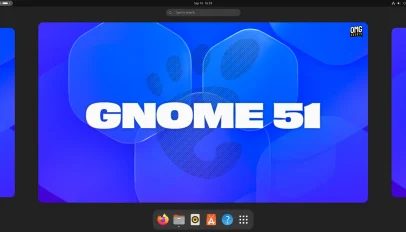 GNOME 51 is out, bringing FIDO2 passkey login, a Reduced Motion option and frame scheduling changes that make UI animations and scrolling feel smoother. Core apps pick up improvements too. The desktop Maps app gains offline area downloads and live transit data, Papers now lets you add visual signatures and Nautilus speeds up the loading of large folders. While this is a more modest release than we've become accustomed to – some planned changes, like a GTK4 port of Disks and a slider to change touchpad scroll speed, didn't make it in – there is still plenty to look out [...]
You're reading GNOME 51 released with passkey login and smoother UX , a blog post from OMG! Ubuntu . Do not reproduce elsewhere without permission.
Categories: News, GNOME 51, loupe, Papers
Source: https://www.omgubuntu.co.uk/2026/09/gnome-51-released Sep 16, 2026, 06:32 PM
GNOME 51 is out, bringing FIDO2 passkey login, a Reduced Motion option and frame scheduling changes that make UI animations and scrolling feel smoother. Core apps pick up improvements too. The desktop Maps app gains offline area downloads and live transit data, Papers now lets you add visual signatures and Nautilus speeds up the loading of large folders. While this is a more modest release than we've become accustomed to – some planned changes, like a GTK4 port of Disks and a slider to change touchpad scroll speed, didn't make it in – there is still plenty to look out [...]You're reading GNOME 51 released with passkey login and smoother UX , a blog post from OMG! Ubuntu . Do not reproduce elsewhere without permission.
Categories: News, GNOME 51, loupe, Papers
Source: https://www.omgubuntu.co.uk/2026/09/gnome-51-released Sep 16, 2026, 06:32 PM
#33
Ubuntu News / Orion for Linux beta update l...
Last post by tim - Sep 17, 2026, 01:41 AMOrion for Linux beta update lets you customise the toolbar
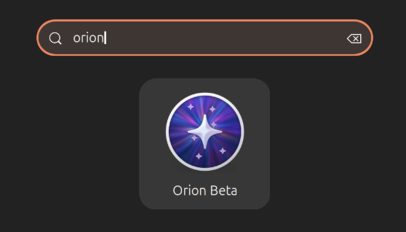 A new beta of Orion for Linux, the native WebKitGTK port of Kagi's iOS and Mac web browser, is out. Orion Beta v0.4.3 continues to flesh out the browser's feature set to reach parity with its Apple kin. You can now customise the toolbar. A context menu option was present in earlier beta builds but opened a button picker that wasn't functional – now it is. Drag items out of the 'current toolbar' area on the palette to remove them, or drag ones from the palette to the top block to add them. You can re-order buttons by dragging too. [...]
You're reading Orion for Linux beta update lets you customise the toolbar , a blog post from OMG! Ubuntu . Do not reproduce elsewhere without permission.
Categories: News, App Updates, Orion
Source: https://www.omgubuntu.co.uk/2026/09/orion-browser-linux-043-update Sep 15, 2026, 06:01 PM
A new beta of Orion for Linux, the native WebKitGTK port of Kagi's iOS and Mac web browser, is out. Orion Beta v0.4.3 continues to flesh out the browser's feature set to reach parity with its Apple kin. You can now customise the toolbar. A context menu option was present in earlier beta builds but opened a button picker that wasn't functional – now it is. Drag items out of the 'current toolbar' area on the palette to remove them, or drag ones from the palette to the top block to add them. You can re-order buttons by dragging too. [...]You're reading Orion for Linux beta update lets you customise the toolbar , a blog post from OMG! Ubuntu . Do not reproduce elsewhere without permission.
Categories: News, App Updates, Orion
Source: https://www.omgubuntu.co.uk/2026/09/orion-browser-linux-043-update Sep 15, 2026, 06:01 PM
#34
Ubuntu News / Firefox 156 reduces CPU usage...
Last post by tim - Sep 17, 2026, 01:41 AMFirefox 156 reduces CPU usage when viewing JPGs
 Firefox 156 is out with faster start-up times for its built-in PDF viewer and lower CPU usage when viewing large JPEG images. As you browse the web you (pretty much always) see images smaller than their native resolution. To wit, if I embed a 4K JPEG in this post, for example, you don't see it at full size: it's downscaled to fit on the page. Same amount of pixel data, but squeezed by CSS. In Firefox 156, the browser now uses libjpeg-turbo's IDCT scaling to reduce images during decoding, rather than loading a full-size image into memory and then shrinking [...]
You're reading Firefox 156 reduces CPU usage when viewing JPGs , a blog post from OMG! Ubuntu . Do not reproduce elsewhere without permission.
Categories: News, App Updates, Firefox
Source: https://www.omgubuntu.co.uk/2026/09/firefox-156-released Sep 15, 2026, 01:13 AM
Firefox 156 is out with faster start-up times for its built-in PDF viewer and lower CPU usage when viewing large JPEG images. As you browse the web you (pretty much always) see images smaller than their native resolution. To wit, if I embed a 4K JPEG in this post, for example, you don't see it at full size: it's downscaled to fit on the page. Same amount of pixel data, but squeezed by CSS. In Firefox 156, the browser now uses libjpeg-turbo's IDCT scaling to reduce images during decoding, rather than loading a full-size image into memory and then shrinking [...]You're reading Firefox 156 reduces CPU usage when viewing JPGs , a blog post from OMG! Ubuntu . Do not reproduce elsewhere without permission.
Categories: News, App Updates, Firefox
Source: https://www.omgubuntu.co.uk/2026/09/firefox-156-released Sep 15, 2026, 01:13 AM
#35
Ubuntu News / Conflux icon set gives a mode...
Last post by tim - Sep 17, 2026, 01:41 AMConflux icon set gives a modern look to Linux desktops
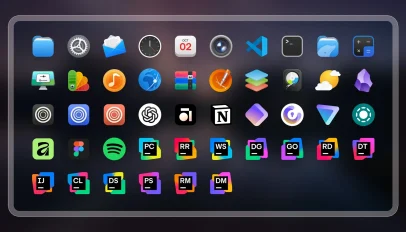 Conflux is a new Linux icon set that aims to be both beautiful but neutral – I think it succeeds at both. The author of Conflux said they struggled to find a "modern-looking" icon pack for their desktop, deigning many as overly stylistic, outdated or, in some cases, poorly designed. Another impetus to solve was the way un-themed icons look. "Conflux should blend seamlessly into your system", reads the Github page, "so that you don't even notice you're using an icon theme." It's not flat, block colours and simplistic – which is refreshing. It won't be for everyone, though. Few [...]
You're reading Conflux icon set gives a modern look to Linux desktops , a blog post from OMG! Ubuntu . Do not reproduce elsewhere without permission.
Categories: News, Conflux, Eye Candy, icon theme, Icons
Source: https://www.omgubuntu.co.uk/2026/09/conflux-linux-icons Sep 14, 2026, 06:29 PM
Conflux is a new Linux icon set that aims to be both beautiful but neutral – I think it succeeds at both. The author of Conflux said they struggled to find a "modern-looking" icon pack for their desktop, deigning many as overly stylistic, outdated or, in some cases, poorly designed. Another impetus to solve was the way un-themed icons look. "Conflux should blend seamlessly into your system", reads the Github page, "so that you don't even notice you're using an icon theme." It's not flat, block colours and simplistic – which is refreshing. It won't be for everyone, though. Few [...]You're reading Conflux icon set gives a modern look to Linux desktops , a blog post from OMG! Ubuntu . Do not reproduce elsewhere without permission.
Categories: News, Conflux, Eye Candy, icon theme, Icons
Source: https://www.omgubuntu.co.uk/2026/09/conflux-linux-icons Sep 14, 2026, 06:29 PM
#36
Ubuntu News / Shotwell 33 goes stable with ...
Last post by tim - Sep 17, 2026, 01:41 AMShotwell 33 goes stable with its long-awaited GTK4 port
 Shotwell 33 is out, the first stable version of the photo manager for GNOME desktops to use GTK4. A GTK4 port of Shotwell has been in the works since 2025. It's the first big toolkit port the image tool has since since it migrated to GTK3 in 2012 (v0.12.0). Yet despite the leap, the user-facing result is just a plain port; it's not as visually transformative as gThumb's GTK4/libadwaita port (which looks like an entirely new app) A more substantive visual revamp using GTK4/libadwaita may follow. For now, Shotwell 33 looks like Shotwell v32 – the benefit is more in [...]
You're reading Shotwell 33 goes stable with its long-awaited GTK4 port , a blog post from OMG! Ubuntu . Do not reproduce elsewhere without permission.
Categories: News, App Updates, shotwell
Source: https://www.omgubuntu.co.uk/2026/09/shotwell-gtk4-port-released Sep 13, 2026, 11:20 PM
Shotwell 33 is out, the first stable version of the photo manager for GNOME desktops to use GTK4. A GTK4 port of Shotwell has been in the works since 2025. It's the first big toolkit port the image tool has since since it migrated to GTK3 in 2012 (v0.12.0). Yet despite the leap, the user-facing result is just a plain port; it's not as visually transformative as gThumb's GTK4/libadwaita port (which looks like an entirely new app) A more substantive visual revamp using GTK4/libadwaita may follow. For now, Shotwell 33 looks like Shotwell v32 – the benefit is more in [...]You're reading Shotwell 33 goes stable with its long-awaited GTK4 port , a blog post from OMG! Ubuntu . Do not reproduce elsewhere without permission.
Categories: News, App Updates, shotwell
Source: https://www.omgubuntu.co.uk/2026/09/shotwell-gtk4-port-released Sep 13, 2026, 11:20 PM
#37
Ubuntu News / Ubuntu 26.10 completes transi...
Last post by tim - Sep 17, 2026, 01:41 AMUbuntu 26.10 completes transition to Rust-based coreutils
 Ubuntu 26.10 completes the distro's move to Rust-based core utilities, with the commands previously held back due to security issues now migrated to memory-safe versions. cp, mv and rm were held back on their GNU versions in Ubuntu 26.04 LTS due to a crop of TOCTOU (time-of-check to time-of-use) issues that needed to be fixed in the uutils versions. With those issues resolved upstream, Ubuntu 26.10 finishes the job. The 'Stonking Stingray' ships a full set of Rust core utilities, which encompasses common command-line tools like ls, cat, chmod and du. Canonical donates €40k a year to help fund work on Rust software Canonical's engineers began 'oxidising' the distro – replacing foundational [...]
You're reading Ubuntu 26.10 completes transition to Rust-based coreutils , a blog post from OMG! Ubuntu . Do not reproduce elsewhere without permission.
Categories: News, coreutils, rust, Ubuntu 26.10
Source: https://www.omgubuntu.co.uk/2026/09/ubuntu-2610-rust-coreutils-complete Sep 13, 2026, 07:39 PM
Ubuntu 26.10 completes the distro's move to Rust-based core utilities, with the commands previously held back due to security issues now migrated to memory-safe versions. cp, mv and rm were held back on their GNU versions in Ubuntu 26.04 LTS due to a crop of TOCTOU (time-of-check to time-of-use) issues that needed to be fixed in the uutils versions. With those issues resolved upstream, Ubuntu 26.10 finishes the job. The 'Stonking Stingray' ships a full set of Rust core utilities, which encompasses common command-line tools like ls, cat, chmod and du. Canonical donates €40k a year to help fund work on Rust software Canonical's engineers began 'oxidising' the distro – replacing foundational [...]You're reading Ubuntu 26.10 completes transition to Rust-based coreutils , a blog post from OMG! Ubuntu . Do not reproduce elsewhere without permission.
Categories: News, coreutils, rust, Ubuntu 26.10
Source: https://www.omgubuntu.co.uk/2026/09/ubuntu-2610-rust-coreutils-complete Sep 13, 2026, 07:39 PM
#38
Ubuntu News / Ubuntu pulls 24.04.5 download...
Last post by tim - Sep 17, 2026, 01:41 AMUbuntu pulls 24.04.5 downloads due to installer bug [update: back]
 Canonical had to pull the Ubuntu 24.04.5 desktop ISO because of a bug that crashes the installer when users select the extended install option.
You're reading Ubuntu pulls 24.04.5 downloads due to installer bug [update: back] , a blog post from OMG! Ubuntu . Do not reproduce elsewhere without permission.
Categories: News, Canonical, Point Releases, Ubuntu 24.04 LTS
Source: https://www.omgubuntu.co.uk/2026/09/ubuntu-pulls-24-04-5-download Sep 12, 2026, 06:04 AM
Canonical had to pull the Ubuntu 24.04.5 desktop ISO because of a bug that crashes the installer when users select the extended install option.You're reading Ubuntu pulls 24.04.5 downloads due to installer bug [update: back] , a blog post from OMG! Ubuntu . Do not reproduce elsewhere without permission.
Categories: News, Canonical, Point Releases, Ubuntu 24.04 LTS
Source: https://www.omgubuntu.co.uk/2026/09/ubuntu-pulls-24-04-5-download Sep 12, 2026, 06:04 AM
#39
Ubuntu News / Option to set default termina...
Last post by tim - Sep 17, 2026, 01:41 AMOption to set default terminal is coming to GNOME Settings
 An option pick a default terminal is to GNOME Settings, as the image above, teased by developer Ignacy Kuchciński last week, shows. Those of you who don't use the command line often enough to care about what terminal is set as your system default, may be surprised to hear you can't currently change it via a GUI. If you go to Settings > Apps > Default Apps you can pick your preferred web browser, email client, imager viewer and others apps, but you can't set a terminal emulator as your system default. For developers, the missing option can be annoying. [...]
You're reading Option to set default terminal is coming to GNOME Settings , a blog post from OMG! Ubuntu . Do not reproduce elsewhere without permission.
Categories: News, freedesktop, GNOME, GNOME 52, terminal apps
Source: https://www.omgubuntu.co.uk/2026/09/default-terminal-gnome-settings Sep 12, 2026, 04:17 AM
An option pick a default terminal is to GNOME Settings, as the image above, teased by developer Ignacy Kuchciński last week, shows. Those of you who don't use the command line often enough to care about what terminal is set as your system default, may be surprised to hear you can't currently change it via a GUI. If you go to Settings > Apps > Default Apps you can pick your preferred web browser, email client, imager viewer and others apps, but you can't set a terminal emulator as your system default. For developers, the missing option can be annoying. [...]You're reading Option to set default terminal is coming to GNOME Settings , a blog post from OMG! Ubuntu . Do not reproduce elsewhere without permission.
Categories: News, freedesktop, GNOME, GNOME 52, terminal apps
Source: https://www.omgubuntu.co.uk/2026/09/default-terminal-gnome-settings Sep 12, 2026, 04:17 AM
#40
Ubuntu News / Linux Mint reveals two brand-...
Last post by tim - Sep 17, 2026, 01:41 AMLinux Mint reveals two brand-new desktop apps
 Two new apps are coming to Linux Mint later this year: a new calendar and eBook reader. Plus, the Ubuntu-based Linux distribution has redesigned its (overlooked) document hub, Library, to make it easier to find and manage documents scattered across you device from one place. Both new apps join the XApp Project, Linux Mint's collection of home-grown, cross-desktop GTK apps (which now has a new website wearing the popular Claude design aesthetic). Clockenstien is Mint's new Calendar app Clockenstein is Linux Mint's new calendar app but, lest anyone scream in horror at the terrible name, the user-facing label is just [...]
You're reading Linux Mint reveals two brand-new desktop apps , a blog post from OMG! Ubuntu . Do not reproduce elsewhere without permission.
Categories: News, calendar, ebooks, Linux Mint, xapps
Source: https://www.omgubuntu.co.uk/2026/09/linux-mint-new-apps Sep 11, 2026, 06:12 PM
Two new apps are coming to Linux Mint later this year: a new calendar and eBook reader. Plus, the Ubuntu-based Linux distribution has redesigned its (overlooked) document hub, Library, to make it easier to find and manage documents scattered across you device from one place. Both new apps join the XApp Project, Linux Mint's collection of home-grown, cross-desktop GTK apps (which now has a new website wearing the popular Claude design aesthetic). Clockenstien is Mint's new Calendar app Clockenstein is Linux Mint's new calendar app but, lest anyone scream in horror at the terrible name, the user-facing label is just [...]You're reading Linux Mint reveals two brand-new desktop apps , a blog post from OMG! Ubuntu . Do not reproduce elsewhere without permission.
Categories: News, calendar, ebooks, Linux Mint, xapps
Source: https://www.omgubuntu.co.uk/2026/09/linux-mint-new-apps Sep 11, 2026, 06:12 PM